
PCB antenna simulation and Smith chart matching for Windows
Two tools in one program: PCB Antenna Lab designs and simulates printed IFA, MIFA and any other planar antennas with the open-source openEMS FDTD solver, and SmithMatch builds the matching network on a Smith chart with parts you have on the bench.
Full version free for 30 days on your PC, then a licence.
Buy a licence Download the 30-day trial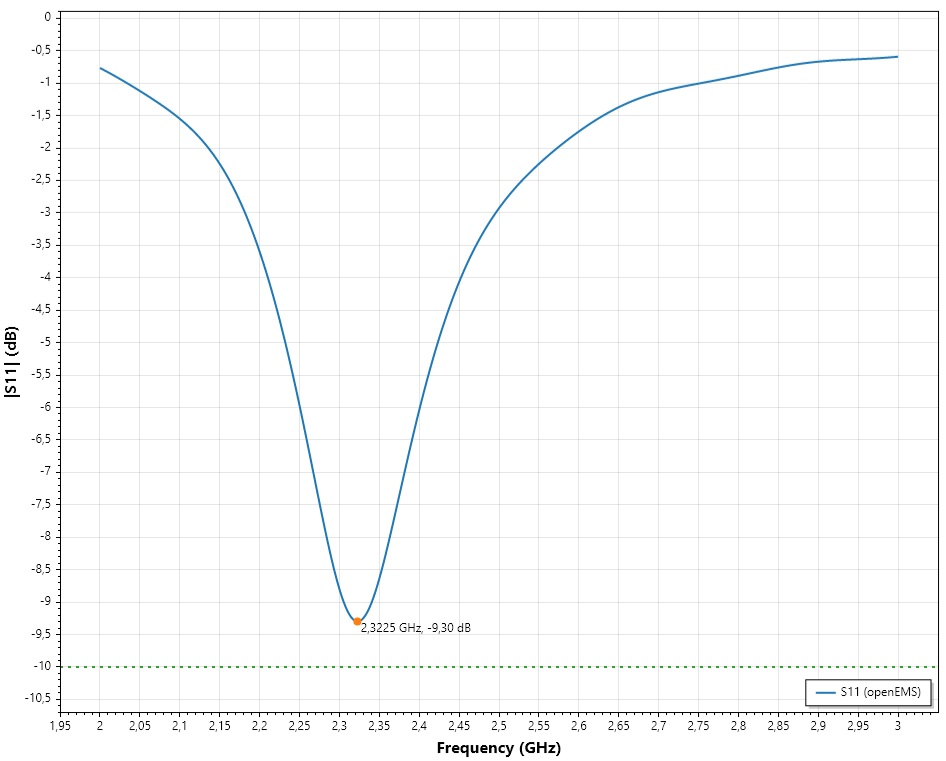
PCB Antenna Lab
Design printed antennas the way you would in MATLAB's PCB Antenna Designer, simulated with openEMS.
Parametric model
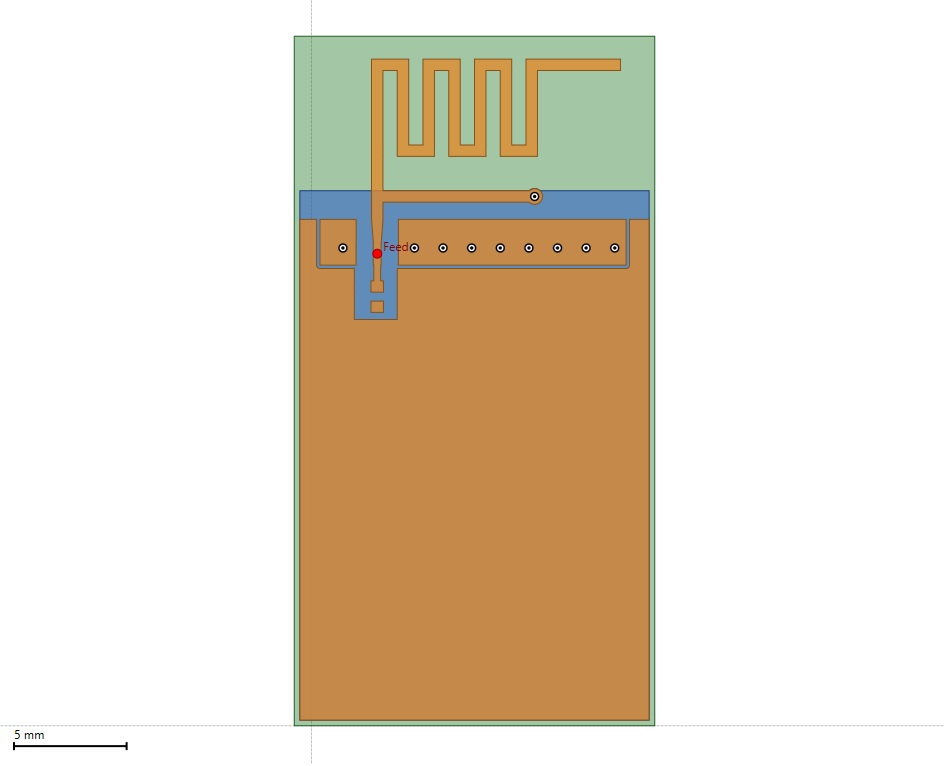
Any stackup of metal and dielectric layers. Every dimension is an expression of named parameters, with a tuning slider for the selected one.
Import your board
KiCad .kicad_pcb, Eagle .brd, Autodesk Fusion Electronics .fbrd, Altium .PcbDoc, Gerber and Excellon files (also panels), and MATLAB pcbStack scripts, with copper, vias, outline and stackup.
Automatic mesh
Mesh lines on metal edges, feeds and vias, graded cells over ground planes, PML absorbers. Quick and Accurate presets, one thread per performance core.
Results
S11, input impedance, VSWR and Smith chart, with the resonance and the −10 dB bandwidth. Compare with a VNA measurement (.s1p). Results are saved with the project.
Radiation pattern
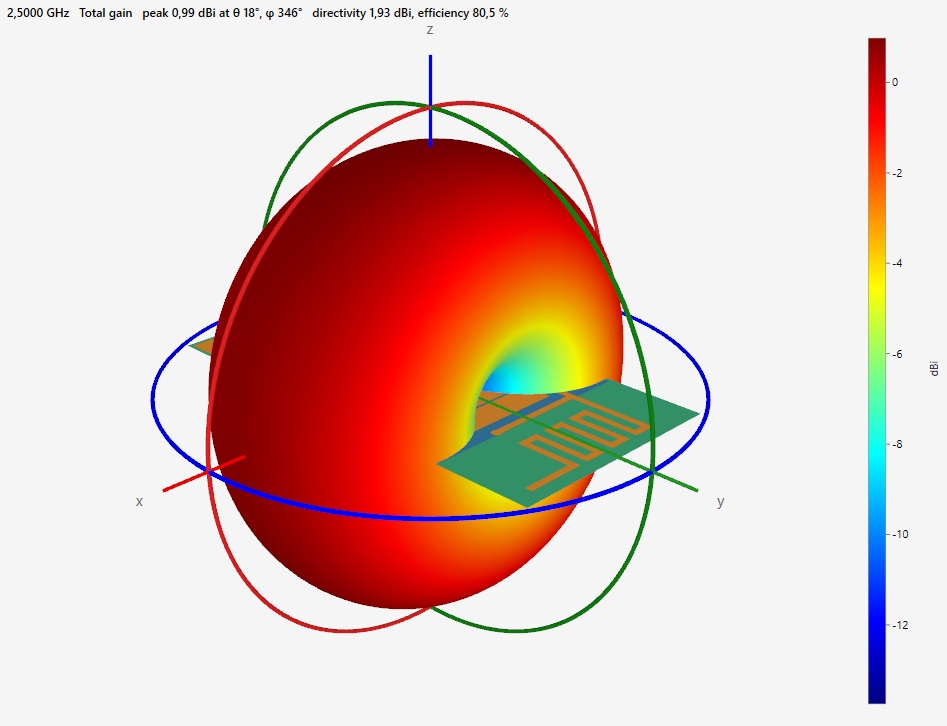
XY, XZ and YZ cuts and a 3D pattern in dBi, vertical and horizontal polarization, directivity and efficiency. Current distribution on the copper.
Export and reports
KiCad footprints, Eagle libraries and Altium .PcbLib footprints with the origin at the feed. Printed and PDF reports.
SmithMatch
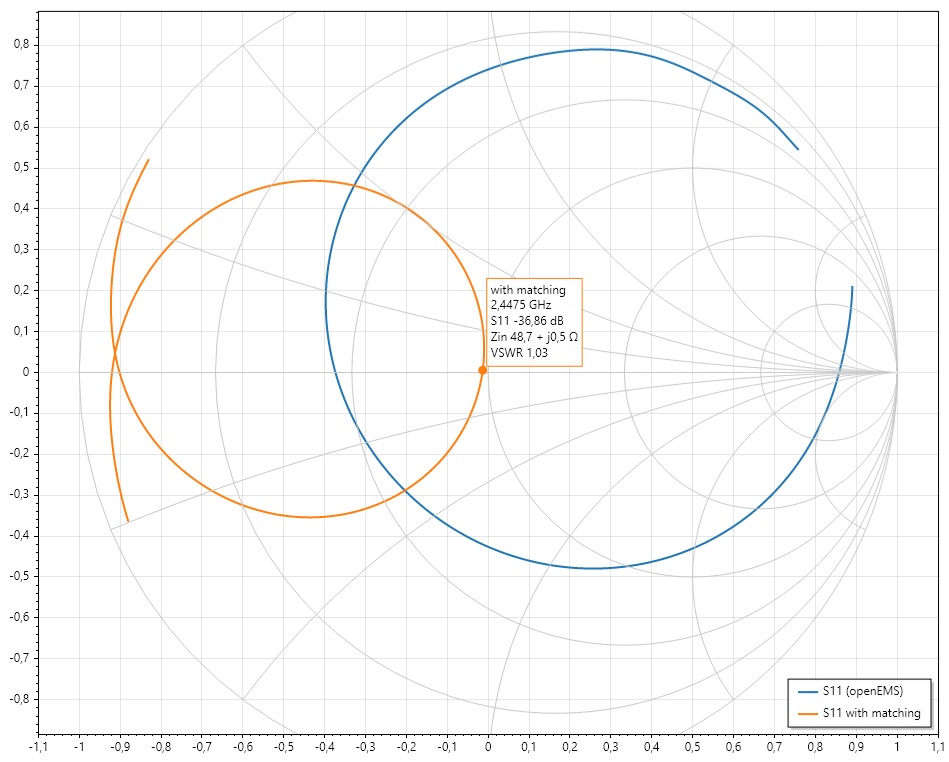
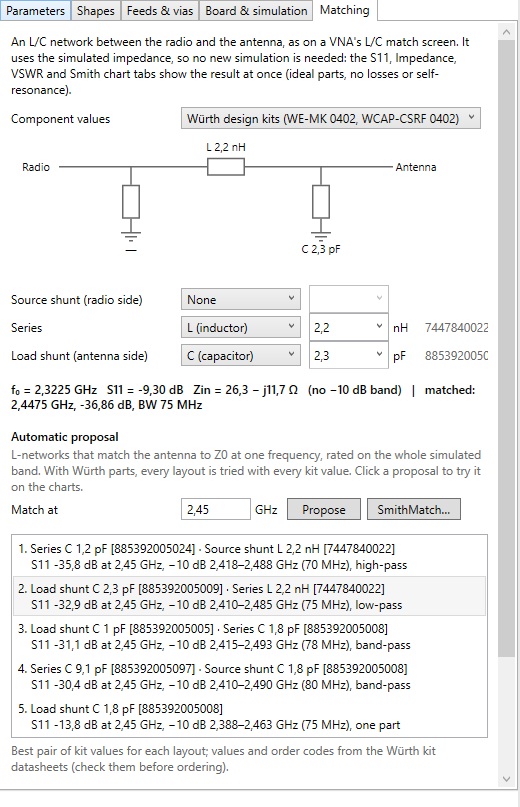
Add L and C to a pi network and see live how each part moves the impedance towards 50 Ω. Open it with Tools > SmithMatch, or send the simulated antenna impedance to it from the Matching tab.
Smith chart
Z and Y grids for any Z0, zoom, datapoints by click or typed R + jX, cursor readout of return loss, VSWR, Q and Γ.
Auto-match
Every L-network solution, low-pass and high-pass, with live preview. The Matching tab of PCB Antenna Lab proposes the same networks on the simulated curve.
Würth Elektronik kits
WE-MK 0402 inductors (kit 744784) and WCAP-CSRF 0402 NP0 capacitors (kit 885390), with their order codes.
Frequently asked questions
What is LW RF Studio?
LW RF Studio is Windows software for RF engineers. Its PCB Antenna Lab designs and simulates printed antennas (IFA, MIFA and others) with the open-source openEMS FDTD solver, and its SmithMatch builds the matching network on an interactive Smith chart with parts from the Würth Elektronik design kits.
Which board files can I import?
KiCad .kicad_pcb, Eagle .brd, Autodesk Fusion Electronics .fbrd (and a .f3z archive with a board), Altium .PcbDoc, Gerber and Excellon files (also whole panels) and MATLAB pcbStack scripts. Copper, vias, outline and stackup are imported. Footprints can be exported to KiCad, Eagle and Altium.
What results does it give?
S11, input impedance, VSWR and a Smith chart with the resonance and the −10 dB bandwidth; the radiation pattern in the XY, XZ and YZ planes and in 3D, with directivity and efficiency; and the surface current on the copper. A simulation can be compared with a VNA measurement in an .s1p file.
Do I need MATLAB or another solver?
No. The simulation uses the open-source openEMS solver, which the installer downloads if it is not on the PC. LW RF Studio can import the pcbStack scripts of MATLAB's PCB Antenna Designer, but MATLAB is not needed.
Is there a free trial, and how does the licence work?
Yes. The full version is free for 30 days on each PC. After that a licence for one PC is needed: copy the PC ID from Help > Licence in the program, order the licence, and paste the licence you receive by e-mail in the same window.
Which Windows versions are supported?
Windows 10 and 11, 64-bit. The program is self-contained: no .NET needs to be installed.
Is there a KiCad plugin?
Yes. LW Antenna Check is a free KiCad plugin that simulates the VSWR of the antenna on the open board from inside the PCB editor.
Does my board data leave my PC?
No. Simulations run on your PC. The program only contacts lwtech.org when it starts, to check the trial and the licence.
Trial and licence
The program starts with 30 days of the full version on your PC. After that, it needs a licence. A licence is for one PC: in the program, open Help > Licence, copy the PC ID and paste it in the order form. You receive the licence by e-mail; paste it in the same window and click Activate.
Licences of PCB Antenna Designer do not work in LW RF Studio: contact us for a new one.
Windows 10/11, 64-bit, self-contained (no .NET to install). openEMS 0.37 is downloaded by the installer if it is not on the PC. Not affiliated with Würth Elektronik or the authors of openEMS.